Saturday, March 31, 2012

Final Project Concept Crit - 3/28


Using twitter and processing, we will create a visualization from the amount of tweets referring to certain hot-button topics, such as the Republican Nominees, Kony 2012, Occupy Wall Street, Celebrity Gossip, Snooki, Tim Tebow, etc.

The visualization will be a simulation of critters that battle for power based upon how many times their assigned topic is being tweeted.

Example parameters:
Critter anger level is determined upon how many times "War" is tweeted.
Critter reproduction rate is determined upon how many times "Snooki" is tweeted.
Food amount is determined upon how many times "McDonalds" is tweeted.

The simulation will be a playful look into what people are interested in, and possibly provide predictions for future tweets, trends, and more.

Friday, March 30, 2012

Jer Thorp presentation

JER THORP
Biography (including birthday and date of death if no longer living (or you are psychic))
  • Jer Thorp is an artist and educator from Vancouver, Canada, currently living in New York. Coming from a background in genetics, his digital art practice explores the many-folded boundaries between science and art.
  • Thorp’s award-winning software-based work has been exhibited in Europe, Asia, North America, South America, and Australia and all over the web.
  • Jer has over a decade of teaching experience, in Langara College’s Electronic Media Design Program, at the Vancouver Film school, and as an artist-in-residence at the Emily Carr University of Art and Design. Most recently, he has presented at Carnegie Mellon’s School of Art, at Eyebeam in New York City, and at IBM’s Center for Social Software in Cambridge.
  • He is currently Data Artist in Residence at the New York Times, and is an adjunct Professor in New York University’s ITP program.
Generative Art Connections
  • Thorp’s work takes the appeal of infographics into the realm of art, as he reminds us of our shared immersion in concepts and words while presenting a gorgeous image to contemplate our connectedness.
  • Artist whose medium is data
  • Expert in the processing language
  • Data visualization
  • Current events
  • Data in a human context
Generative Works
  • 138 Years of Popular Science (2011)
    • graphic that showed how different technical and cultural terms have come in and out of use in the magazine since its inception.
  • Project Cascade (2010 – 2011)
    • project that visualizes the sharing activity of New York Times content over social networks.
  • Random Number Multiples (2011)
    • Screenprints from the “Random Number Multiple” series. The first, titled ‘RGB – NYT Word Frequency’, shows usage of the words ‘red’, ‘green’, ‘blue’ in the Times between 1981 and 2011. My second print visualizes the terms ‘hope’ and ‘crisis’ over the same time period.
  • Sustained Silent Reading (2010)
    • uses semantic analysis to ‘read’ through a base of content.
  • Wired UK, August 2010 (2010)
    • visual representation of cellular phone records from a pool of 10 million users in an anonymous European country.
  • Haiti Earthquake aid – in Avatar minutes (2010)
    • a visualization tool showing how much different countries and organizations have pledged to the Haiti eathquake aid effort. Represented in how many minutes of the film, Avatar, the aid would pay for.
  • Code.lab (2010)
    • A combination of pedagogy, performance, and interactive installation, Code.lab was a unique collaboration between artists, students, and the public during the 2010 Olympic Games in Vancouver.
  • 9/11 Memorial Names Arrangement Algorithm & Placement Tool (2010)
    • algorithm and an accompanying software tool to aid in the placement of the nearly 3,000 names on the 9/11 Memorial in Manhattan.
  • Two Sides of the Same Story (2009)
    • Built in Processing, this tool allows for free comparison of any two bodies of text.
  • Wired UK, July 2009 (2009)
    • Using a series of generative graphics, the piece investigates the discrepancies between the demographics of the UK’s National DNA Database and of the UK population in general.
  • Good Morning! (2009)
    • GoodMorning! is a Twitter visualization tool that shows about 11,000 ‘good morning’ tweets over a 24 hour period, rendering a simple sample of Twitter activity around the globe.
  • Just Landed (2009)
    • Just Landed finds tweets containing the phrases ‘just landed in…’ and ‘just arrived in…’ and provides map-based visualization of these tweets over time.
  • NYTimes: 365/360 (2009)
    • Built in Processing, this set of visualizations shows the top organizations and personalities for every year from 1985 to 2001, by occurrence in the New York Times. Connections between these people & organizations are indicated by lines.
  • Glocal Image Breeder (2008)
    • Using genetic algorithms, the system can suggest images from a database of 8,000 images which could conceivably be ‘children’ of any two images that the user suggests.
Quotes
  • “The amount of available data, I think, is quickly outpacing our ability to use it in useful and novel ways.”
  • “This project was a very real reminder that information carries weight. While names of the dead may be the heaviest data of all, almost every number or word we work with bears some link to a significant piece of the real world. It’s easy to download a data set – census information, earthquake records, homelessness figures - and forget that the numbers represent real lives. As designers, artists, and researchers, we always need to consider the true source of data, and the moral responsibility which they carry.”
  • “I know I’ve said this before, but be patient.”
  • “The art itself is the software.”
Bibliography

  • http://blog.blprnt.com/
  •  
  •  
  • http://www.niemanlab.org/2010/06/the-art-itself-is-the-software-jer-thorp-on-the-aesthetics-of-data/
External Links
  • Jer Thorp’s official website: http://blog.blprnt.com

Tuesday, March 20, 2012

Final Project Idea - 3/21

CREATURE DESIGN BY CHANCE + A-Life = AWESOME FINAL PROJECT

March 21-March 27
-Create several creatures thru "Creature Design by Chance"
-Select 2 creatures that have the capability to be effectively created in the time allotted

March 28-April 3
-Begin modeling creatures
-Begin refining A-Life population of environments from Project 2

April 4-April 10
-Finish modeling creatures
-Continue refining A-Life population of environments from Project 2

April 11-April 17
-Finish refining A-Life population of environments from Project 2
-Begin texturing creatures
-Begin rigging creatures

April 18-April 24
-Finish texturing creatures
-finish rigging creatures
-Create simple cycle animation for creatures

April 25-April 30
-Create environment
-Integrate finished creatures into A-Life population effectively

Things to expand upon:
The population of environments will be a more robust version of Project 2. An A-Life, "Conway's Game of Life" aspect will be implemented as the two creatures fight for territory. The victors in these circumstances will be based on a score, which is determined by more specific parameters, such as speed, size, endurance, intelligence, etc. If time allows a catastrophe theory/hysteresis concept could be implemented as well.

Project 3 feedback - 3/20

All in all I would say that Project 3 was a success for me. Unfortunately, I did not have as much time as I would have liked due to being on vacation over Spring Break, but for the time I had I felt I was able to do reasonably well. I learned how to use the Netlogo language to create a simulation by opening up all the sample models and researching the code in each one. Because of this I also learned much about the different models themselves, how they work, and the simulations they are portraying.

Something I would change and improve upon:

I could not get the different brushes to change colors the way I wanted. They are set on a global timer, and after so many "ticks" they revert back to their original colors. This is fine for aesthetic purposes, but it sort of diminishes the concept of true complexity theory I was going for. I would have liked to create a local variable pertaining to each turtle instead.

Project 3 presentation - 3/19

I decided to go with the catastrophe theory/hysteresis idea for Project 3. Using Netlogo, I created a simulation involving 3 different kinds of "brushes", all circular in shape, that would move around the "canvas" leaving trails of "paint" behind. Below is the look I was going for.

SuperStock_1147-379.jpg

There are 3 different kinds of brushes. One type always tends towards a "rage reaction" in a hysteresis simulation, and is colored yellow. Another type always tends towards a "fear reaction" and is colored green. The last brush does not tend either way and is colored purple. The "paint trails" left behind as the brushes move are colored to match their respective brushes. 

As the brushes move in random directions, they come in to contact with one another. When this happens, they go through a catastrophe theory hysteresis simulation. When brush A comes into contact with brush B, one of 2 things can happen. Depending on how many similarly colored brushes are in the immediate the vicinity of brush A and B, and the number of differently colored brushes in the immediate vicinity to brush A and B, the brushes will each change colors to either red or blue. The color red indicates a "fight reaction", and the color blue represents a "flight reaction". They then stay that color for a specific amount of time before reverting back to their original color. Interacting with other brushes along the way can also change their color. The change to red or blue is dependent on the brushes' tendencies towards rage or fear, and how many differently colored brushes are surrounding the brush in relation to how many similarly colored brushes.


If this work were in a gallery setting, I would most likely project only the "canvas" itself, while the program runs, so the simulation can be viewed in real time. It would be set on a timer so that after a certain amount of time it would start over.

Below is my code done in Netlogo:

globals [
  percent-similar
  percent-different
  time
  reds
  blues
]  
breed [yellows ragebrush]  ;; sheep is its own plural, so we use "a-sheep" as the singular.
breed [greens fearbrush]
breed [purples neutralbrush]
turtles-own [
  energy
  similar-nearby
  different-nearby
]
patches-own [countdown]


to setup
  clear-all
  set time 0
  set reds 0
  set blues 0
  ask patches [ set pcolor white ]
  set-default-shape yellows "circle"
  create-yellows rage-brushes [ setxy random-xcor random-ycor ]
  set-default-shape greens "circle"
  create-greens fear-brushes [ setxy random-xcor random-ycor ]
  set-default-shape purples "circle"
  create-purples neutral-brushes [ setxy random-xcor random-ycor ]
  ask yellows [set color yellow]
  ask greens [set color green]
  ask purples [set color violet]
  reset-ticks
end 

to go
  set time time + 1
  time-check
  move-turtles
  ask yellows [ catch-others ]
  ask greens [ catch-others ]
  ask purples [catch-others ]
  ask turtles [ change-color ]
  tick
end

to move-turtles
  ask yellows [
  right random 50
  left random 50
  fd 1
  set pen-size 2
    pd
  ]
  ask greens [
  right random 50
  left random 50
  fd 1
  set pen-size 2
    pd
  ]
  ask purples [
  right random 50
  left random 50
  fd 1
  set pen-size 2
    pd
  ]
end

to time-check
  if ( time > 10 )
    [ set time 0 ]
end
    
to catch-others
  set similar-nearby count (turtles-on neighbors)
    with [color = [color] of myself]
  set different-nearby count (turtles-on neighbors)
    with [color != [color] of myself]
  if breed = yellows[
    if (different-nearby > similar-nearby) and (different-nearby <= 2) [
      set color red
      set reds reds + 1
    ]
    if (different-nearby > similar-nearby) and (different-nearby > 2) [
      set color blue
      set blues blues + 1
    ]
  ]
  if breed = greens[
    if (different-nearby > similar-nearby) and (different-nearby <= 2) [
      set color blue
      set blues blues + 1
    ]
    if (different-nearby > similar-nearby) and (different-nearby > 2) [
    set color red
    set reds reds + 1
    ]
  ]
  if breed = purples[
    let randomizer random 10
    if (different-nearby > similar-nearby)[
       if randomizer < 6[
         set color red
         set reds reds + 1
       ]
       if randomizer > 5[
         set color blue
         set blues blues + 1
       ]
    ]
  ]
end

to change-color
  if breed = yellows and ( color = red or color = blue )[
    if ticks mod 10 = 0 [
      set color yellow
    ]
  ]
  if breed = greens and ( color = red or color = blue )[
    if ticks mod 20 = 0 [
      set color green
    ]
  ]
  if breed = purples and ( color = red or color = blue )[
    if ticks mod 20 = 0 [
      set color violet
    ]
  ]
end

Tuesday, March 6, 2012

Project 3 critique day: 3/7

For Project 3, I have not yet decided what exactly I want to do. I have a couple of ideas, which I have listed below.

1) 3D fractals.

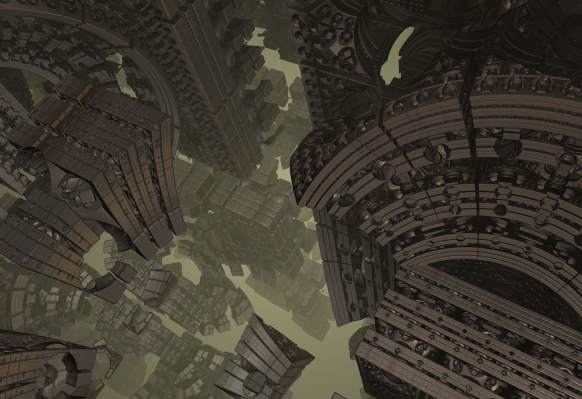
  • Using the program, Boxplorer, I will create a 3D visualization depicting the intricacies of fractals in some form or fashion. The end result would be something similar to the video below.


2) NetLogo Hysteresis/Catastrophe Theory simulation

  • Using NetLogo, I will create a program that simulates hysteresis/catastrophe theory in some way. Maybe a painting program where there are red paints and blue paints and depending on the number of red or blue brushes, one color dominates over the other?


One thing to take into consideration is the fact that I will be out of town for most of Spring Break on vacation, so I would like to pursue an option that is suited to my strengths, which is more on the artistic side of things rather than coding.